Install a wired nebolink
Wire a nebolink to the boat's power, seal it and put it where it gets a clear signal.
A nebolink is wired to the boat's own power, so it keeps reporting without charging. Installing one takes a few minutes per boat.
- 1
Note the serial number
The serial number is on the device sticker: inside the nebolink, underneath it, and on the box. Write it down: you need it to add the boat in the dashboard.
- 2
Connect the battery clip
Join battery clip A and B. The clip only fits one way.
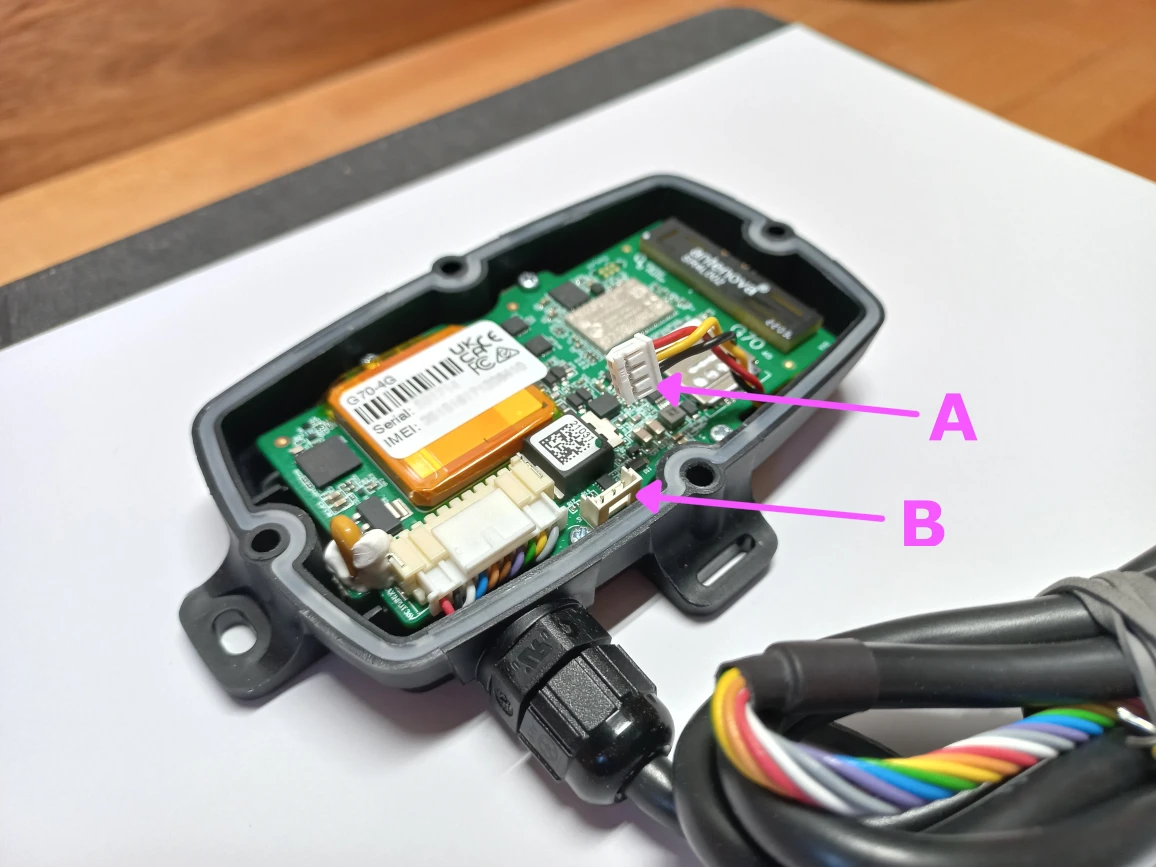
- 3
Check the red light flashes
A red light on the circuit board starts to flash, as long as the internal backup battery still has some charge.
- 4
Connect it to constant power
Connect it directly to the boat's battery: a constant DC supply between 8 and 33 volts that stays live when the boat is switched off. Don't connect it through a switch, breaker, battery isolator or the ignition.
- Connect the red wire to positive (+), through a 3–5 A inline fuse fitted as close to the battery as possible, on the battery side of any isolation switch.
- Connect the black wire to negative (−): the battery's negative terminal, or a negative bus wired straight to it, not one behind an isolation switch.
- Leave any other wires unconnected for now. To monitor the bilge pump, see Connect a nebolink to the bilge pump; to log voyages from engine start, see Connect a nebolink to the ignition.
The inline fuse is required: it protects the boat's wiring. The nebolink also has its own self-resetting fuse.
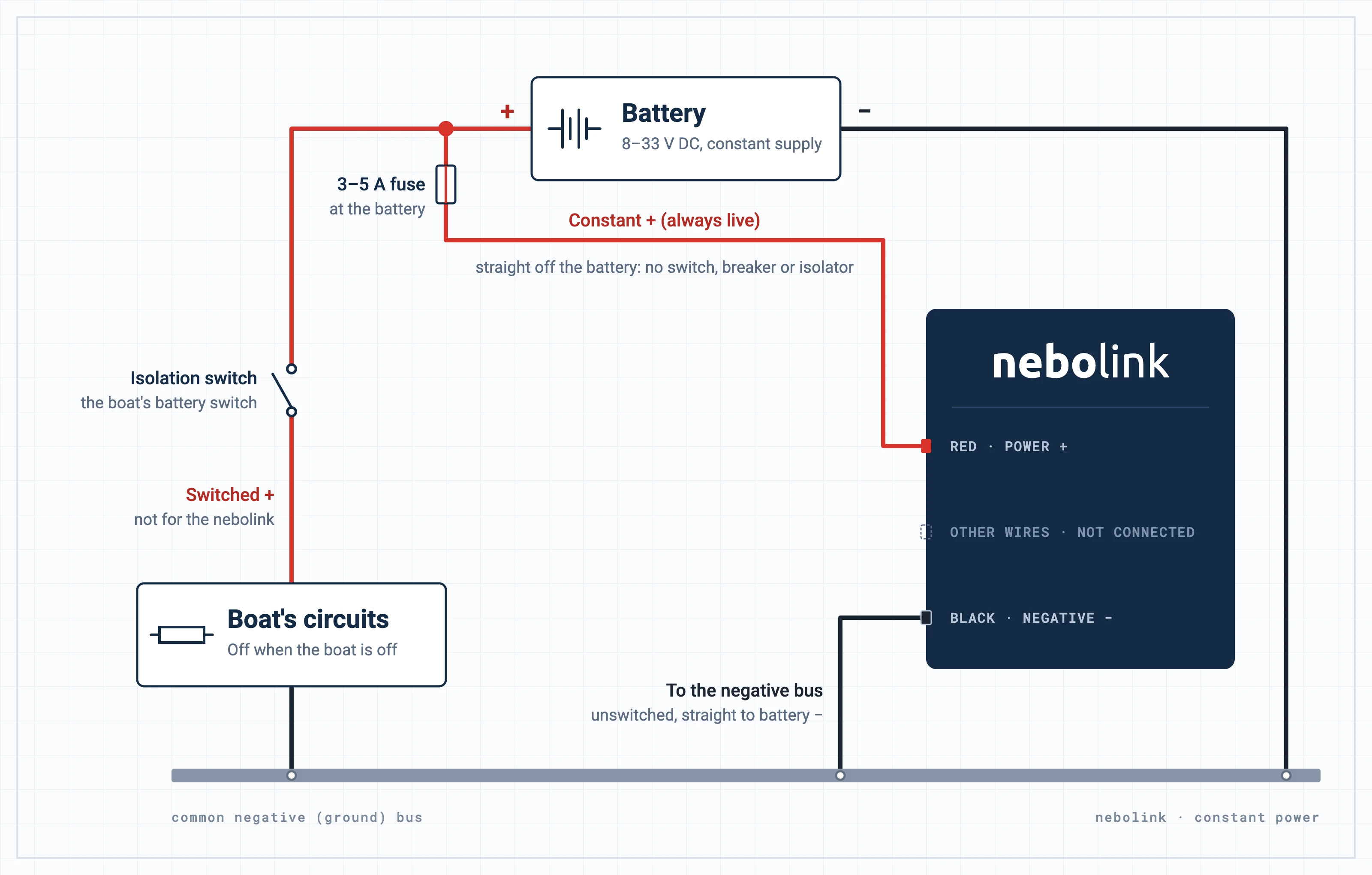
Click or tap the diagram to open it full size.
- 5
Seal the lid
Fasten the lid with the screws provided, making sure it seals all round. Sealed, the housing is rated IP68 and IK08: it stands up to knocks, fine dust and brief submersion.
- 6
Mount it with a clear view of the sky
Treat the nebolink like an antenna: it needs to see GPS satellites and reach cell towers. Mount it as high above the waterline as you can, with nothing dense, like metal, between it and the sky.
- 7
Add the boat in the dashboard
Add the vessel and enter the serial number you noted. Its status shows Unknown until the nebolink first reports.
The warranty may not apply if the nebolink isn't connected to a constant power supply. More about power and the warranty.