Nebo Discovery. Just scan and go.
No app to download, no account to make. Guests scan a QR code and Nebo Discovery opens on their phone in seconds, showing them the water the way you know it.
Book a DemoInteractive demo: try it yourself
Everything they need for a great day on the water.
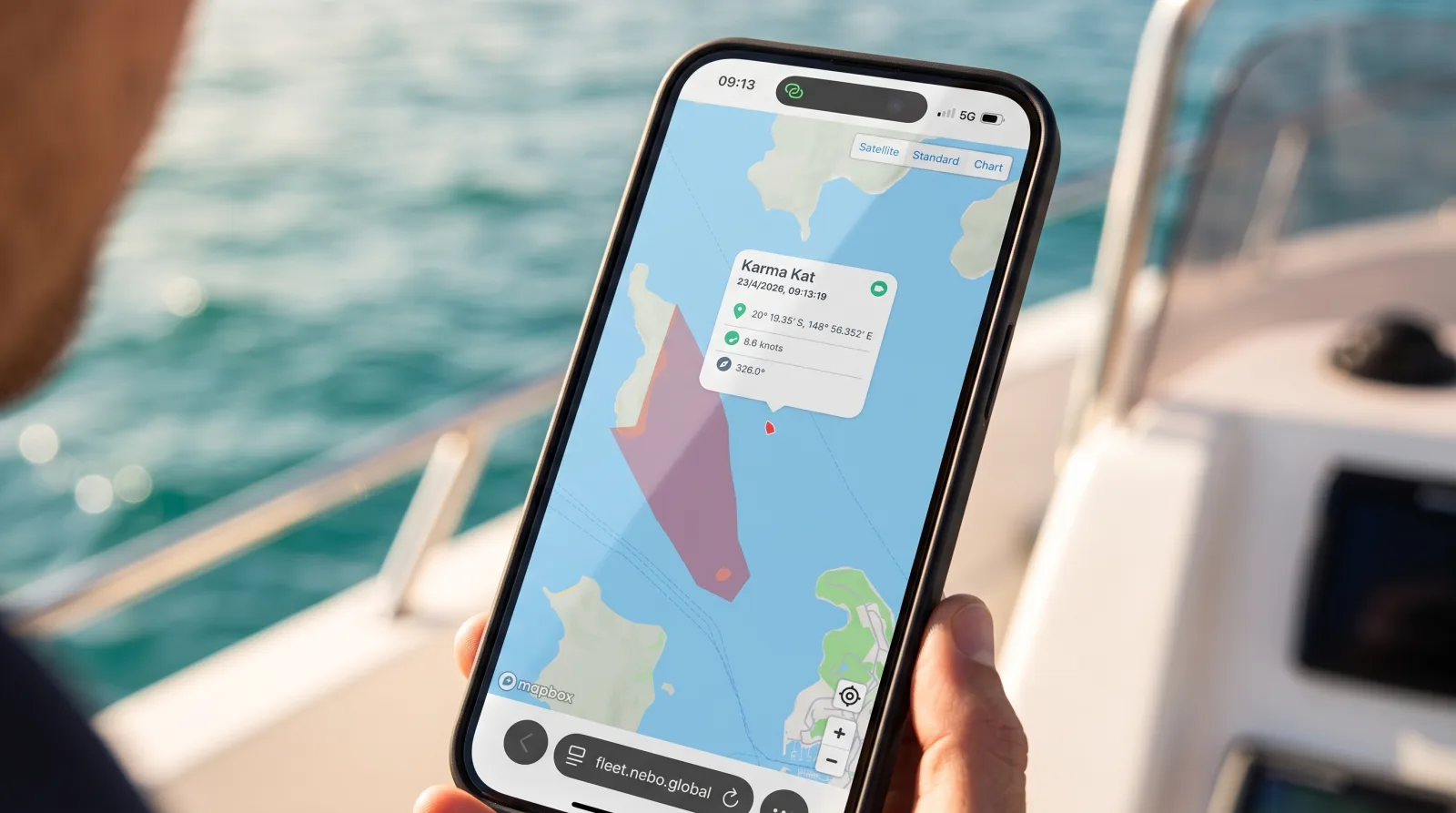
Where they are.
Live location, updating as they move. Not where the boat is headed, not a chart they have to orient themselves on. Where they are, right now.
Where to stop.
The dock-and-dine spots, beaches, landmarks and swim spots you would tell them about if you had the time. With photos, descriptions and links.
Where not to go.
Marine reserves, shallow ground, speed-restricted channels. On their screen before they get there to help keep them safe.
The route you would take.
The way you'd run the day yourself, laid out for guests instead of left to guesswork.
Where to turn around.
Your turnaround points pop up on their map as they get close, so the return becomes theirs to manage with confidence, instead of yours to chase.
What a well-informed guest means for you.
- •Fewer groundings and less damage, because shallow ground and hazards are right there on their screen
- •Turnaround points on the map, so guests can see where to turn back without being called
- •Fewer calls to the office asking where they are and what is nearby
- •A safety briefing that keeps working after the boat has left the dock
- •Prohibited areas on the guest's map, so they can see where not to go
- •First-timers and out-of-towners who feel confident instead of lost, which is the difference between a good review and a quiet one
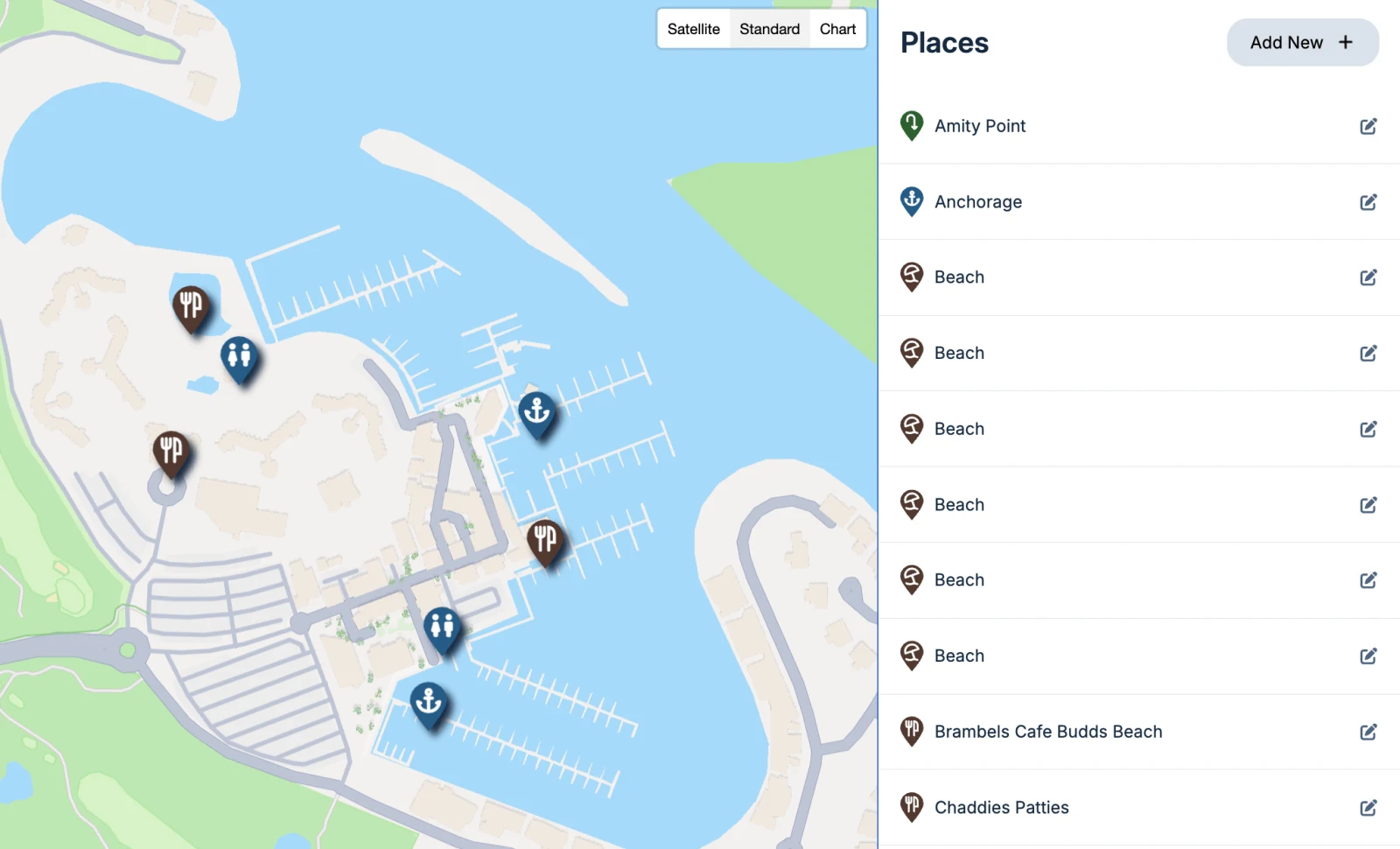
It's your map to curate.
Nebo Discovery is not a generic chart with your logo on it. You choose the points of interest, write the descriptions, add the photos and links, and draw the areas you want guests to stay out of.
The local knowledge you have been giving away one briefing at a time now reaches every guest, on every boat, every day.
Questions fleet operators ask
No. The map opens in whatever browser is already on their phone. No app, no account, no login, no password to forget.
Each vessel has its own QR code, which you download from the dashboard and print. You choose a visible spot for guests to find it — a helm placard or cabin sign works well.
You do, entirely. Points of interest, descriptions, photos, links and restricted areas are all yours to set and change whenever you like.
Yes. Nebo Discovery can reflect your operation's branding so the experience feels like a natural extension of your business, not a generic map.
Yes. Boat Club operations use it most for members who are new or visiting from another location. It's a game changer for anyone in an unfamiliar waterway.
See Nebo Discovery on your own waters.
Book a demo and we'll show you the map your members and guests would see, with your places, routes and zones.