1. Open the Vessels Tab
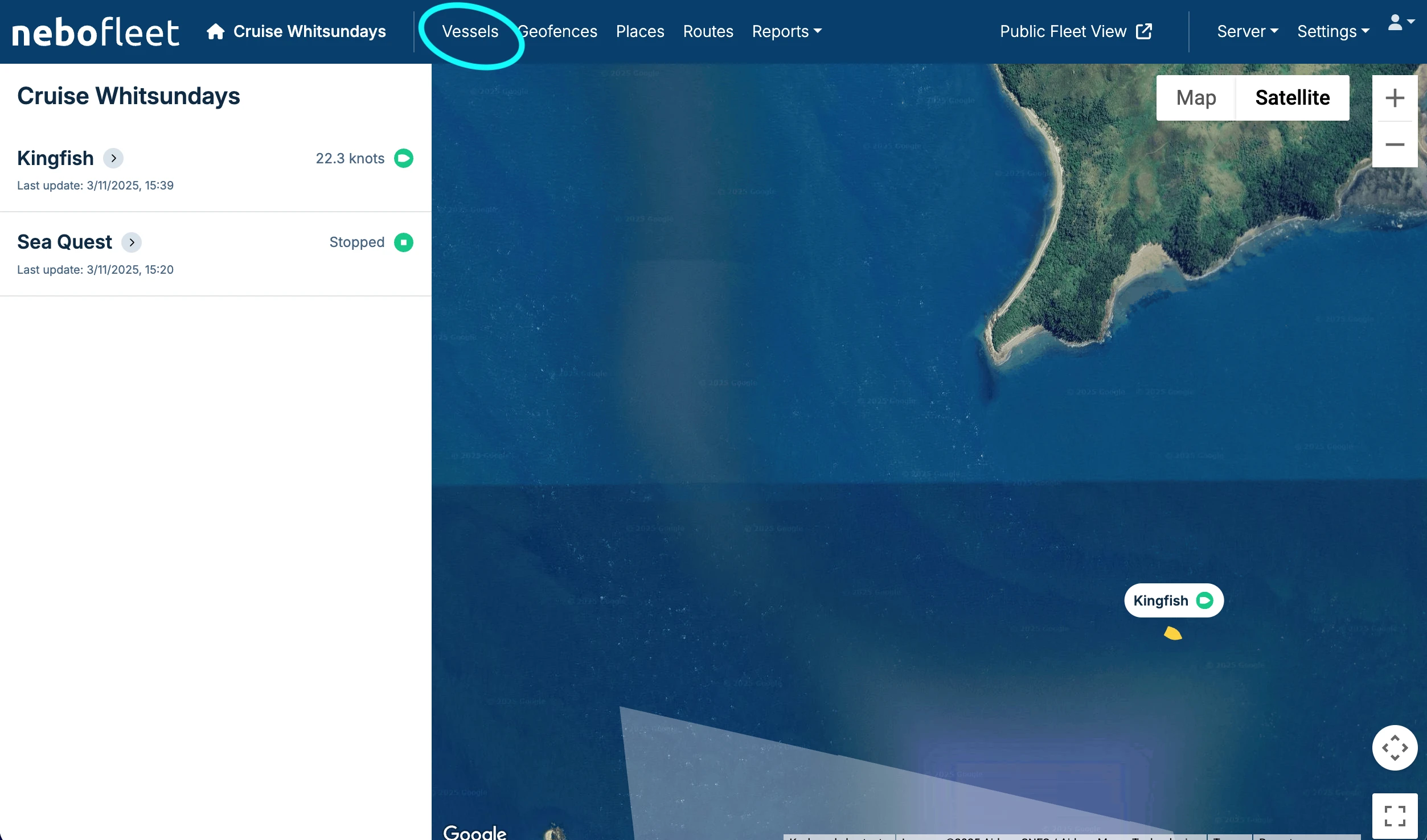
In the nebofleet dashboard, click on the Vessels tab in the main navigation.
2. Download the QR Code
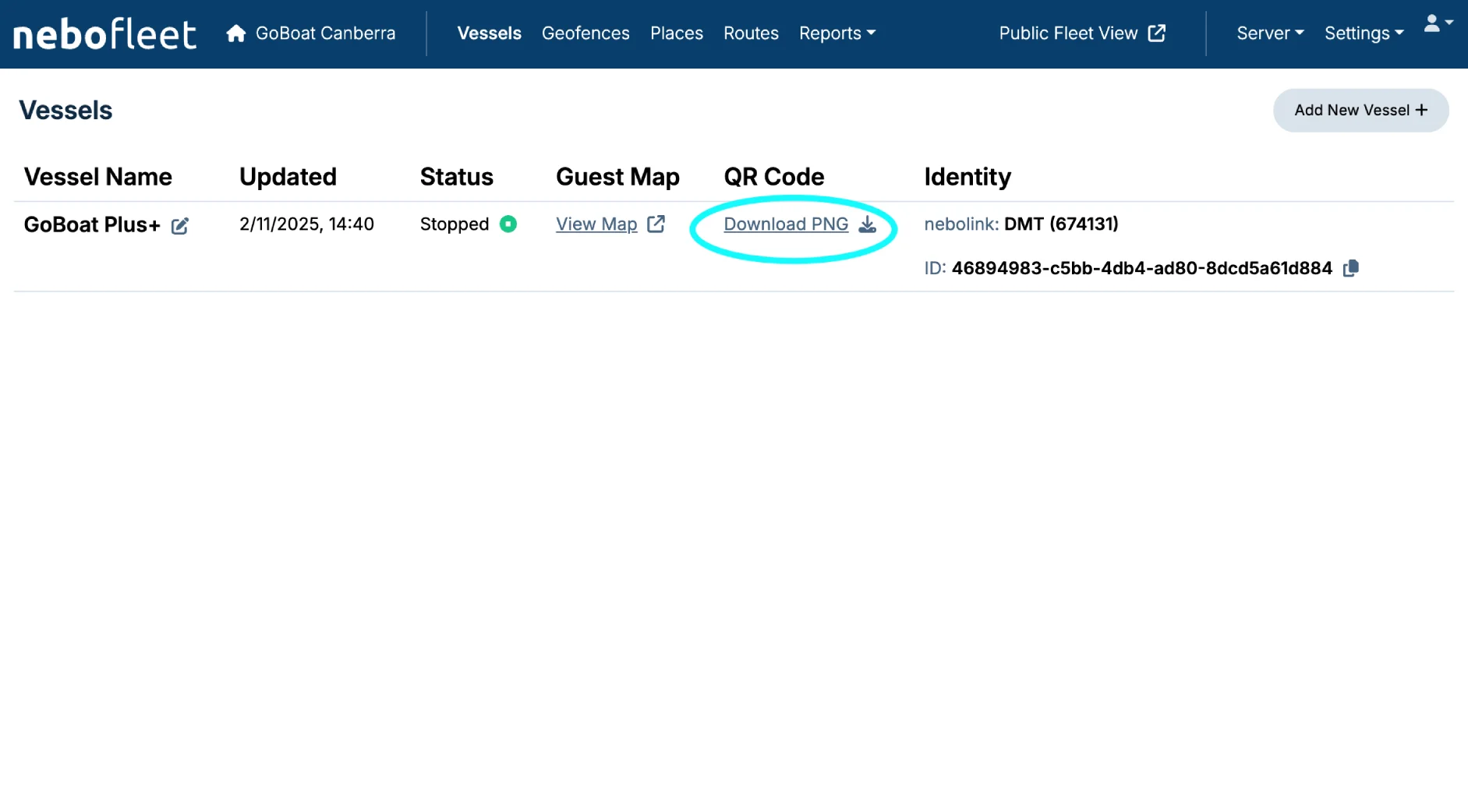
On the Vessels screen, find the correct vessel in the list and click the "Download PNG" link to download its QR code.
3. Save the File
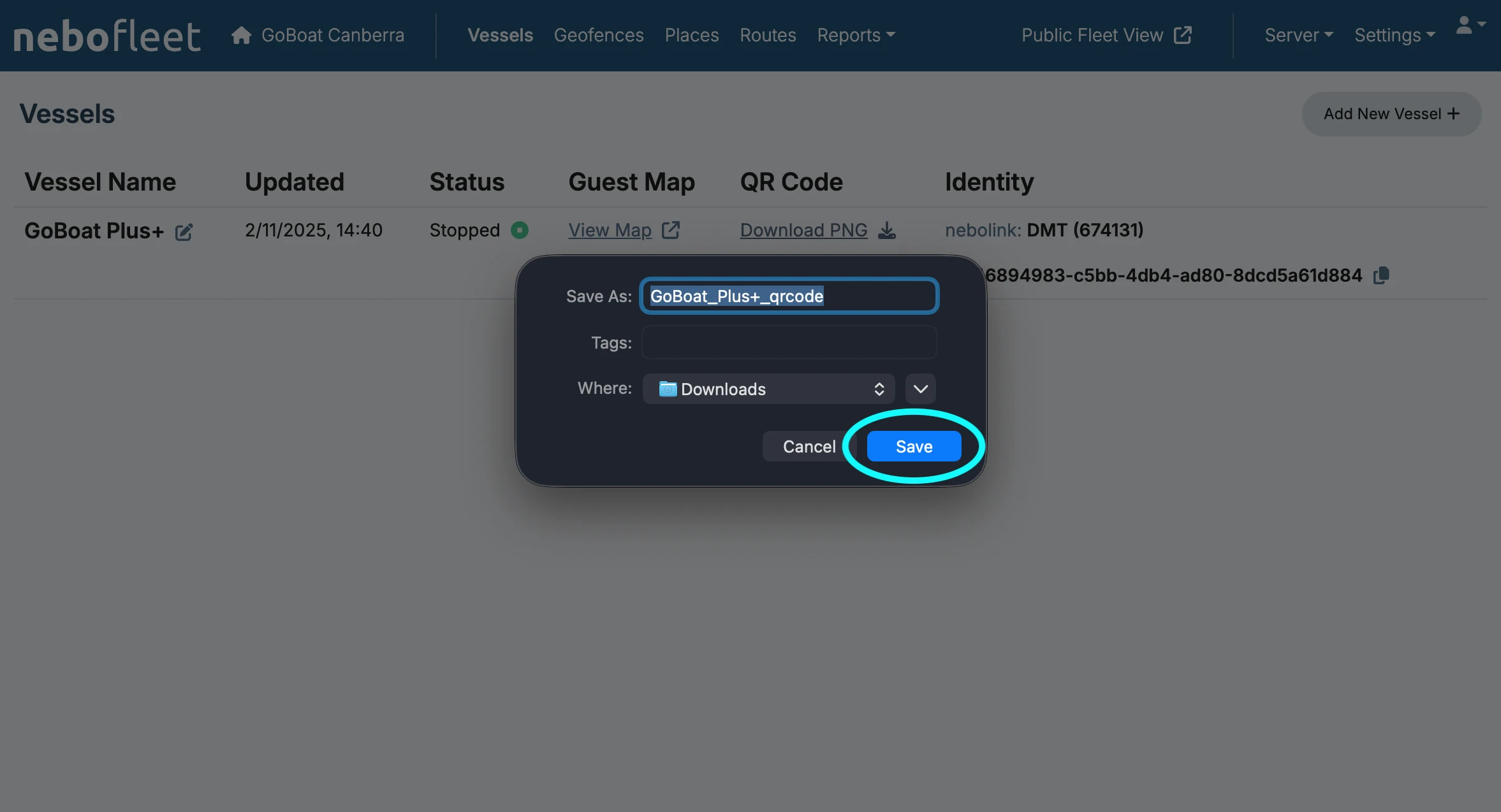
You will need to choose the download location on your computer and then click Save.
The QR code will be downloaded to your computer as a .png image file.
4. Print or Share
Once the QR code is downloaded to your computer, you can physically print it or share it electronically according to your needs.